
IronCAD 2027 Product Update 1: Why AI CAD Automation and Multi-CAD Interop Matter for SaaS Buyers
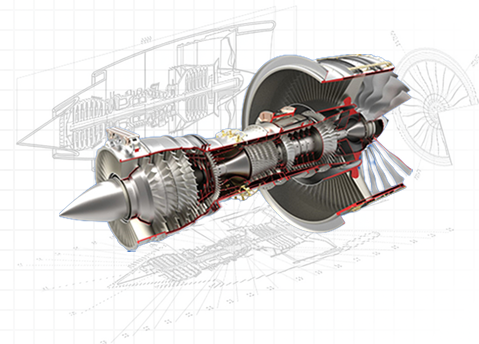
IronCAD 2027 Product Update 1 matters to enterprise software buyers because it folds AI-driven design automation, sheet-metal reuse, piping, drafting consistency, and Native CAD Translator Add-on support for CATIA V5, Creo, NX, Inventor, SolidWorks and Solid Edge into one release. For GlobalSaaSManager readers, the signal is not simply more commands; it is shorter handoffs from concept models to production data.
What did IronCAD 2027 Product Update 1 change?
This update reads like a set of workflow bridges. Each feature targets a place where mechanical engineering teams usually lose time: repeated modeling, downstream interpretation, file conversion, drawing maintenance, or assembly cleanup.
AI Design Assistant moves from assistance to scriptable automation
The AI Design Assistant now supports AI-assisted script generation. Users can describe repetitive modeling tasks in natural language, then generate scripts that automate repeated modeling tasks, configure components from catalog data containing metadata, parameters, materials and Smart Attachments, and support design automation workflows. For teams building configurable machines, this shortens the path from standard part libraries to automated model updates.
Shrink Wrap and feature recognition reduce handoff friction
When the Shrink Wrap command creates a shrink-wrapped model of an assembly, hidden parts are omitted, producing smaller files based on visible components. Imported models can become editable IronCAD features faster because updated recognition algorithms handle a wider range of geometry. Users can turn on feature recognition during import, or convert imported geometry later through the Interaction menu.
Sheet metal gains cataloged features and a new structure test
Sheet metal features, including combinations of bends, holes and edge rounds, can be dragged into catalogs for reuse. An optional three-level structure, Assembly → Sheet Metal Part → Feature, keeps folded and flat views under a single part node. This structure is available only as a test option through a registry setting.
Piping, ICD and DRAFT make drawings easier to maintain
The piping command now supports flexible pipes that follow a spline path and can include construction curves in the route path. In ICD, drawing views can be copied or moved to another existing sheet, or to a new sheet created from the default template, with prompts that help preserve parent-child relationships for section, detail and auxiliary views. Standard projected views can be filtered with checkboxes, reducing manual cleanup in large machinery assemblies, while DRAFT propagates cutting-plane definition and depth to secondary views.
Native CAD Translator Add-on keeps multi-CAD teams current
The Native CAD Translator Add-on now supports updated versions of major formats including CATIA V5, Creo, NX, Inventor, SolidWorks and Solid Edge. Teams can open newer customer, supplier and partner models without intermediate conversion steps.
Stability work is aimed at real production pressure
The update includes fixes and stability improvements for large assemblies, sheet metal, drawings, linking, dimensions, export and other workflows. Those are not headline features, but they matter where machine design files are too large, too referenced and too tightly coupled for casual upgrades.
Eligible IronCAD Design Collaboration Suite users can obtain IronCAD 2027 Product Update 1 through IronCAD Live Update or by downloading it from the IronCAD website.
Why should SaaS industry readers care?
Because industrial software value is increasingly measured by data continuity. The update pushes AI from demo prompts to reusable scripts; it also widens direct translator support across major CAD formats. In multi-CAD supply chains, native translation can reduce conversion steps, but it does not remove the need to validate geometry, PMI and design intent, as noted by TechSoft3D and Autodesk. GlobalSaaSManager reads this as a procurement signal: CAD buyers are likely to ask less “can it draw?” and more “can it move safely between teams, versions and vendors?”
How does Product Update 1 fit into the wider 2027 release cycle?
This follows IronCAD Mechanical 2027, which IronCAD announced on June 11, 2026 as a set of enhancements focused on automation, steel-design productivity, bill-of-materials accuracy and workflow efficiency, according to IronCAD release notes. Earlier launch coverage by Engineering.com placed the broader IronCAD 2027 suite within a company-wide push into AI tools, noting that the AI Chat Bot was offered free through December 31, 2026. Taken together, the timeline suggests IronCAD is not treating Product Update 1 as a minor patch; it is extending a 2027 platform narrative across general modeling, mechanical workflows and collaboration-oriented automation.
A second market signal: AI CAD is real, but still uneven
Zetwerk’s 2026 overview of generative design and AI-assisted CAD notes that major CAD platforms are shipping AI features that automate drawings, diagnose modeling problems, constrain sketches and generate assembly structures. That context is important for IronCAD 2027 Product Update 1: the value is credible when AI is tied to catalogs, scripts and controlled feature trees, not when it is presented as autonomous design.
What limits should managers test before rollout?
- AI script governance: prompts may produce reusable scripts, but catalog structure, parameter naming and permissions must be locked down before mass deployment.
- Feature recognition quality: imported geometry may become editable IronCAD features faster, yet complex parts should be checked for missing parameters, broken relations and PMI gaps.
- Test-only sheet-metal structure: the three-level model is registry-gated and should remain isolated until IronCAD confirms full production support.
- Drawing relationships: ICD and DRAFT changes can improve consistency, but cross-sheet moves and inherited section cuts should be validated against release packages and customer templates.
What action should buyers take?
For teams evaluating upgrades, the checklist is simple:
- Map the top five model types that cause rework: sheet-metal fabrication, large assemblies, customer-supplied CAD, drawings and export packages.
- Test the AI Design Assistant with one cataloged component family containing metadata, parameters, materials and Smart Attachments.
- Run Shrink Wrap on an assembly with hidden hardware to verify smaller, shareable packages without omitting required parts.
- Import current CATIA V5, Creo, NX, Inventor, SolidWorks and Solid Edge samples through the Native CAD Translator Add-on, then compare dimensions and feature-tree fidelity.
- Update only after validating large-assembly stability through IronCAD Live Update in a pilot group of eligible IronCAD Design Collaboration Suite users.
FAQ: What does IronCAD 2027 Product Update 1 mean for software strategy?
Is this update only for CAD power users?
No. It also affects product operations, sourcing, manufacturing and software procurement because it reduces handoffs, improves translator coverage and stabilizes production files.
Which file formats benefit most?
The Native CAD Translator Add-on support for CATIA V5, Creo, NX, Inventor, SolidWorks and Solid Edge is the most visible interoperability change for supply-chain teams.
Can teams adopt AI automation safely?
Yes, if scripts are tested against controlled catalogs and Smart Attachments, with role review before scripts enter standard workflows.
When should a company delay installation?
Delay if drawings are mid-release, if the sheet-metal three-level registry test would touch production templates, or if large assembly validation cannot be isolated.
Reference sources
- IronCAD, “What's New in IronCAD Design Collaboration Suite 2027,” https://www.ironcad.com/blog/whats-new-in-2027/
- IronCAD, “IronCAD Mechanical 2027 Released,” https://www.ironcad.com/blog/ironcad-2027-mechanical/
- Engineering.com, “IronCAD 2027 adds AI tools and design updates,” https://www.engineering.com/ironcad-2027-adds-ai-tools-and-design-updates/
- TechSoft3D, “Working In a Multi-CAD Supply Chain,” https://www.techsoft3d.com/resources/blog/working-in-a-multi-cad-supply-chain/
- Autodesk, “CAD Interoperability,” https://www.autodesk.com/industry/manufacturing/cad-interoperability
- Zetwerk, “Generative Design & AI-Assisted CAD: What's Real in 2026,” https://www.zetwerk.com/blog/product-and-technology/generative-design-ai-assisted-cad/